After 5 years of user complaints, Microsoft finally revealed the "secret" behind the Windows 11 Taskbar
Executive Briefing
Synthesized and verified with gemini-2.0-flash-thinking-exp
“**After years of silence, Microsoft has finally explained why the Taskbar on Windows 11 was cut off”
Key Takeaways
- 1.**After years of silence, Microsoft has finally explained why the Taskbar on Windows 11 was cut off one of its most familiar capabilities.** Since Windows 11 launched in 2021, the inability to move the Taskbar freely has become one of the most annoying points for users.
- 2.Five years later, Microsoft finally brought this feature back, and explained why the company still does not allow dragging and dropping the Taskbar like on Windows 10.
- 3.Windows 11 26H2 marks the return of the ability to place the Taskbar in other locations on the screen.
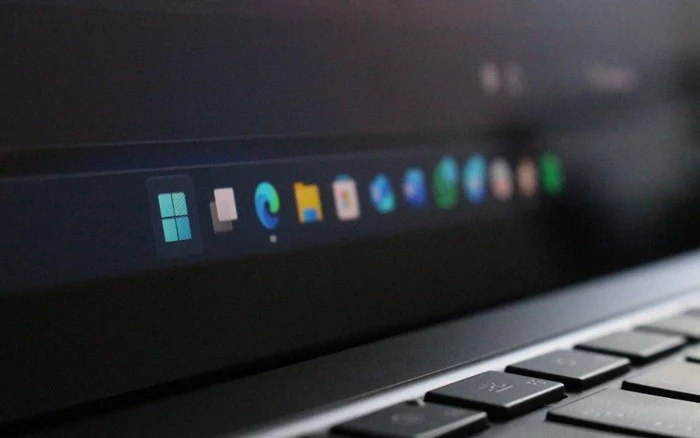
After years of silence, Microsoft has finally explained why the Taskbar on Windows 11 was cut off one of its most familiar capabilities.
Since Windows 11 launched in 2021, the inability to move the Taskbar freely has become one of the most annoying points for users. Five years later, Microsoft finally brought this feature back, and explained why the company still does not allow dragging and dropping the Taskbar like on Windows 10.
Windows 11 26H2 marks the return of the ability to place the Taskbar in other locations on the screen. However, instead of dragging the taskbar directly with the mouse, users must change the location through the settings menu.
This is not a technical limitation or a feature that hasn't been perfected by Microsoft. According to the company, eliminating drag and drop is an intentional design decision to prevent users from accidentally moving the Taskbar to another location.
Microsoft is afraid of users accidentally dragging the Taskbar
Diego Baca, Vice President of Windows design, said Microsoft's internal research discovered that dragging to change the Taskbar position can lead to unintended moves. This is also the reason why previous versions of Windows had the "Lock the taskbar" option, allowing the taskbar to be locked after the user placed it in the desired location.
Microsoft also realized that changing the Taskbar position is not an operation that is performed frequently. Therefore, the company believes that placing this option in the menu that appears when right-clicking will make it easier to find, limit mistaken operations, and be more suitable for most users.
This explanation means that Microsoft accepts to sacrifice some flexibility in exchange for an experience that the company considers safer. Longtime Windows users can still place the Taskbar in another location, but no longer have the freedom to drag it around the screen like on Windows 10.
Microsoft's argument may not be enough to convince everyone. Many people think that the company can completely retain the drag and drop operation, and at the same time restore the Taskbar locking mechanism so that users can choose between convenience and the ability to prevent accidental moves.
Five years of waiting, but the Taskbar still returns Microsoft's way
The ability to change the Taskbar position was among the most requested features on Feedback Hub. Microsoft has previously argued that this feature isn't too important, in part because the number of people who actually use it is relatively small compared to the overall Windows user base.
Microsoft started testing the movable Taskbar in the Windows Experimental channel from May 2026. The company then continued to add a smaller Taskbar option, showing that Windows 11 is gradually regaining some of the customization capabilities that disappeared when this operating system launched.
Windows 11 26H2 is now generally available, including a direct upgrade option for Windows 10 machines that meet the hardware requirements. However, the Taskbar story continues to demonstrate Microsoft's familiar design philosophy: listening to user requests, but implementing it in a way that the company thinks is suitable for the majority.
After five years of complaining, users finally know the "secret" behind Windows 11's inflexible Taskbar. Microsoft has not forgotten Windows 10's way of doing things, but has only proactively removed it because it believes that a wrong drag is more annoying than the benefits that drag and drop brings.