Googlebooks just aren’t ready
Executive Briefing
Synthesized and verified with gemini-2.0-flash-thinking-exp
“EEvery Googlebook laptop we’ve tested so far has great hardware. The problem is the software. While Googlebook OS has ex”
Key Takeaways
- 1.EEvery Googlebook laptop we’ve tested so far has great hardware. The problem is the software. While Googlebook OS has exciting ideas for how a laptop
- 2.Our collective reviews of every Googlebook at launch: very good laptops hobbled by beta-level software.
- 3.Frankly, they should be. The cheapest is $900, a price where you start to expect quality processors, metal builds, higher-quality displays, good speak
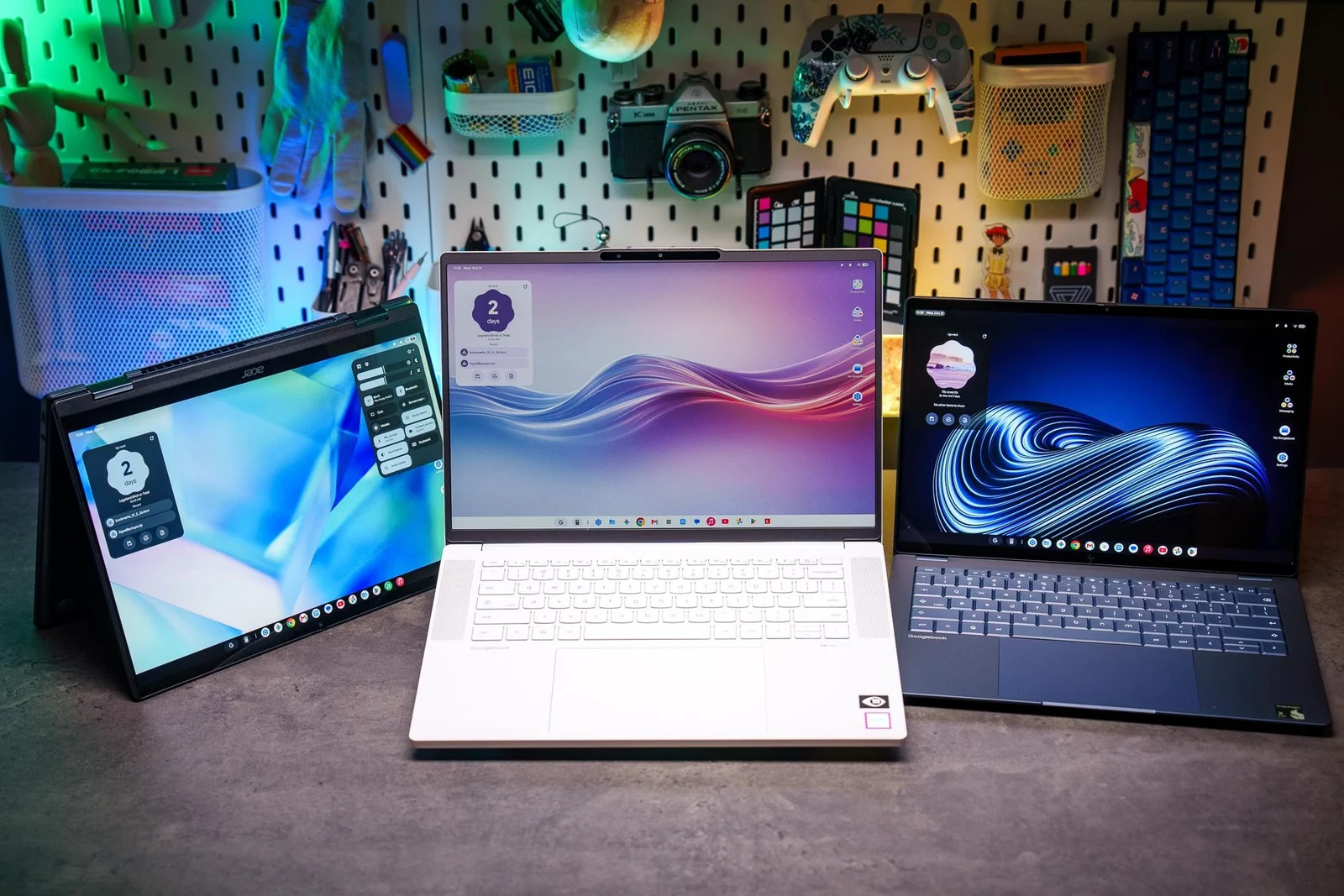
EEvery Googlebook laptop we’ve tested so far has great hardware. The problem is the software. While Googlebook OS has exciting ideas for how a laptop and phone can work together, right now it’s mostly a frustrating experience filled with annoying bugs and lackluster app support. It often feels like using an Android tablet with a keyboard and trackpad grafted on, rather than a cohesive laptop OS. It’s too bad, because those keyboards and trackpads — and pretty much all the laptops’ hardware components — are great.
Our collective reviews of every Googlebook at launch: very good laptops hobbled by beta-level software.
Frankly, they should be. The cheapest is $900, a price where you start to expect quality processors, metal builds, higher-quality displays, good speakers, and great keyboards and trackpads (even haptic ones in some cases). The Googlebooks have those covered, and they also have very good battery life and at least 16GB of RAM.
Google wanted Googlebooks to feel premium, and HP, Acer, Lenovo, Dell, and Asus all delivered. It’s Google’s software that needs to catch up. In their current state, we don’t recommend you buy any of them. But it’s worth reviewing the hardware to determine which shows the most promise if the software one day improves — or if crafty modders manage to install other operating systems. Since the software is the same on all Googlebooks (save for some preinstalled manufacturer apps), and we’ve already covered that software at length, we’re strictly talking about Googlebook hardware here. The scores, however, cover hardware and software as they stand today. Brace yourself — the scores are bad.
If you’re a dedicated Google user or Pixel fan and you really want to be an early adopter / paying beta tester — or if you’re just here for some schadenfreude — here are our collective thoughts on each and every Googlebook.
- The most affordable of the Googlebooks (for now) - Nice screen and build
- Googlebook OS feels like a beta - No portrait orientation in tablet mode
The Acer Googlebook 14 is the only 2-in-1 convertible of the bunch, and it’s one of the nicest-feeling and -looking Acers I’ve ever used at this price. It’s light, with a sturdy metal chassis and a great 2880 x 1800 / 120Hz OLED touchscreen with stylus support. I find 2-in-1s pretty handy, even if they look clunkier than tablets like a Microsoft Surface Pro or an iPad with a keyboard case, but Googlebook OS doesn’t yet support portrait orientation, which limits the Acer’s stylus potential. Like all Googlebooks, the Acer has an Auto-Rotate toggle in settings, but it only flips the orientation 180 degrees — a strange oversight.
The speakers don’t have a lot of bass, and they can get muffled in tablet mode depending on how you hold the laptop, but they’re decent and sound balanced overall. The webcam is a slight weak point, as colors and contrast are a touch drab. But nothing here is bad. This isn’t like some of the Acer Aspires or Swifts I’ve tested in the past where you had to deal with a terrible screen and shoddy build quality for the sake of a good chip. It’s just an all-around nice package. That extends to the battery life, which lasted me eight to nine hours of light-to-mixed usage.
If this was running Windows or a proper Linux distro with the same hardware and price, it’d be a rare bright spot in our ongoing RAMageddon hellscape. But thanks to Googlebook OS, it’s not. And an Acer rep told us its $900 launch price is only available for a limited time. That might sound like an incentive to buy one before a price increase, but please allow me to tap the “Don’t buy it now for what it might do later” sign. Actually, picture me tapping it as you read this whole article.
*— Antonio G. Di Benedetto, Laptop Reviewer*
- Small and light - On the cheaper side of Googlebooks - Great keyboard and trackpad
- Googlebook OS feels like a beta - Anti-glare display has some issues - Only the two USB-C ports
Here’s my theory: If Googlebooks are going to work anytime soon, they’re going to work as secondary computers. Maybe they don’t need to replace your primary work machine if they can instead be light, fast, simple, and fun to use. (Yes, I agree that $900 or more is a lot to pay for this kind of device, but hey, iPads pull it off!) I already see glimmers of possibility here, even through the bugs of Googlebook OS. “A Chromebook, but also it runs all my apps” is not a bad pitch for an off-day computer.
That’s why, of all the available Googlebooks, the Dell XPS Googlebook makes the most sense to me. At 2.2 pounds, with a 13.4-inch screen, and starting at $999, it’s one of the smallest and lightest Googlebooks available. (And unlike the cheaper Acer Googlebook 14, it doesn’t offer a bunch of flippy tablet modes that don’t really work.) Like the other models we’ve tested, it’s a lovely piece of high-end hardware; I love the keyboard and trackpad, I appreciate that I can open the thing with one hand, and the Qualcomm chip inside does its job fine for all my practical purposes. The battery got me through a full day of travel and then some.