Oppo upgraded AI generation on ColorOS 17 operating system
Executive Briefing
Synthesized and verified with gemini-2.0-flash-thinking-exp
“# Oppo upgraded AI generation on ColorOS 17 operating system Oppo improves the operating system, in”
Key Takeaways
- 1.# Oppo upgraded AI generation on ColorOS 17 operating system Oppo improves the operating system, integrating AI in data arrangement, supporting creativity, research, and performing complex tasks.
- 2.ColorOS 17 was introduced globally in early October and is expected to appear on the Oppo Find X10 Series launched later this month.
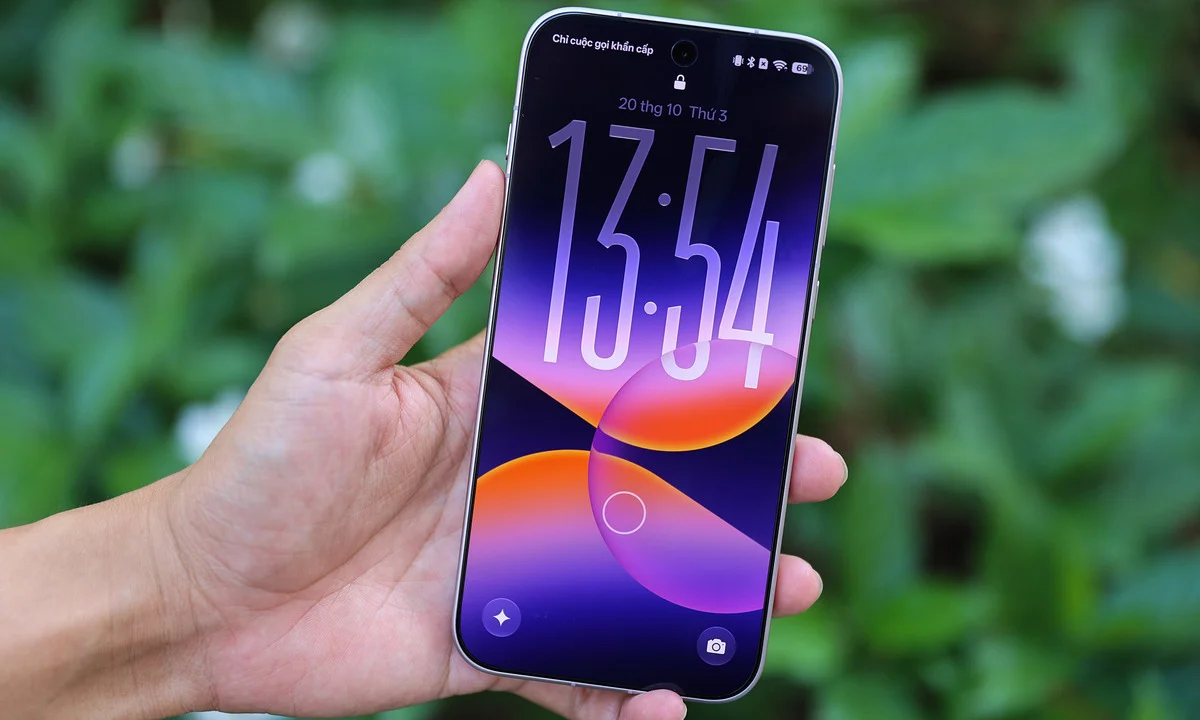
- 3.The new operating system redesigned the interface to be more beautiful, and the AI was upgraded at the system level with more features.
Oppo improves the operating system, integrating AI in data arrangement, supporting creativity, research, and performing complex tasks.
ColorOS 17 was introduced globally in early October and is expected to appear on the Oppo Find X10 Series launched later this month. The new operating system redesigned the interface to be more beautiful, and the AI was upgraded at the system level with more features. The company emphasizes photo editing capabilities and in-depth work support.
AI photo editing
ColorOS 17 adds AI Photo Agent, allowing users to describe in natural language how they want to edit photos. The tool can analyze the context, subject, and atmosphere of the image to suggest an editing style. Users can also include reference photos to apply similar color and lighting styles.
For example, when taking a photo of a river scene, AI Photo Agent can recognize the context, suggest some suitable filters or styles such as "change to sunset", "add fog"... Similarly, with photos of people, AI can give suggestions "add studio lighting", "adjust natural skin tone:...
Experience on the Oppo Find X10 series shows that AI Photo Agent is a useful feature, used frequently and creates an interesting feeling. Artificial intelligence accurately recognizes the context to make appropriate suggestions. Edited photos can change the light source, details, and shadows, but still create a natural look, without the feeling of too much processing by the AI algorithm. Editing portraits and people is a strength when it comes to creating photos that look like they were taken with studio quality.
With generative editing, users can give descriptions like "add black glasses", "change shirt color from black to white" or any other style. AI on ColorOS 17 can in most cases edit closely to requirements, producing realistic images. However, with highly detailed photos and complex contexts, AI may not work properly.
ColorOS 17 also includes the OSee app, which integrates vision AI capabilities. Users can capture an object or scene. Osee recognizes objects, extracts text from images, and looks up information about objects in images.
These upgrades partly show that Oppo invests in AI for the features users use most often. For photography enthusiasts, especially women, AI Photo Agent can be a favorite feature, when it only takes 10 seconds to have a photo suitable for social networks.
AI Mind Pilot handles multi-step work
AI Mind Pilot on ColorOS 17 adds Agent Mode, in addition to Ask Mode that appeared on the previous version. If Q&A mode focuses on looking up and providing information, Agent Mode has the ability to perform a series of operations to complete the user's goal.
This tool can work directly with images and files on the phone, search for information from multiple sources, analyze content, organize data and create output products as required. With AI Mind Pilot, instead of manually searching, opening each file, finding information and then copying it, the system will help users do it all, saving time and effort.
For example, for students, AI My Pilot can read lecture files saved on the computer, summarizing the main content and important ideas. Students can also ask the tool to read and extract documents and then automatically redesign them into presentations or posters posted on social networking platforms. The tool can suggest suitable styles and colors.
For creative people, AI Mind Pilot can suggest topics, then search for suitable documents, suggest scripts or visualize them into images and drawings.
AI Mind Space turns discrete data into a personal warehouse
AI Mind Space focuses on collecting, storing and exploiting information. On ColorOS 17, the tool is capable of reading and extracting documents, screenshots, links, and notes that users have saved. The system then identifies the content and automatically converts the data into clearly structured groups. For example, when users continuously take screenshots of news about Science and Technology, the system can understand and group content that is close together into the same group. AI Mind Space can also read this content, summarizing important ideas so users can grasp the information instead of wasting time reading the entire document.
In fact, users can save specialized articles, reference materials or video links for a project. When they need to reuse them, they can search for these documents in AI Mind Space instead of remembering the exact file name or source they read.
The value of the feature lies in reducing the time to retrieve information and limiting data dispersion among many applications.
In addition, AI Mind Suggest can proactively suggest relevant information and services on the screen at appropriate times, such as reminding itinerary information or displaying trip data.
Upgraded interface
Besides AI, ColorOS 17 introduces the Living Flow Design language. This language is built around three ideas including lighting effects, smooth motion, and flexible feedback. Lighting effects create an interface with high transparency, depth and visual hierarchy. When manipulating the touch, the system can detect the pressure, thereby creating light beams, responding to the operation. Smooth motion allows elements such as icons, applications, and scene transitions to flow seamlessly and blend as they move. The operating system finally creates a more realistic feeling of haptic feedback when touching the screen.
The operating system also upgrades the Laminar Flow Engine to allocate resources between active and background applications.
According to Oppo's announcement, app launch stability is improved by 55%, while thumbnails in Gallery load up to 50% faster on first open compared to ColorOS 16. The system can also keep more than 25% of apps running in the background during multitasking.
ColorOS 17 is expected to be pre-installed on Oppo Find X10 Series, a high-end smartphone line about to launch in Vietnam. For the remaining models, the update roadmap is until the end of the year. Combining the new operating system with new generation hardware is expected to create a seamless AI experience, helping to shorten task processing time.
Hoai Phuong