Here’s what it’s like to use Audio Intelligence on the Apple Watch
Tóm lược nhanh
“It's impossible to paint a full picture of what Audio Intelligence on the Apple Watch Series 12 and Ultra 4 will be right now. The watchOS 27.3 developer beta just dropped earlier this afternoon, and these features are meant to be lived with in day-to-day life. We're definitely going to do that over the next […]”
It’s impossible to paint a full picture of what Audio Intelligence on the Apple Watch Series 12 and Ultra 4 will be right now. The watchOS 27.3 developer beta just dropped earlier this afternoon, and these features are meant to be lived with in day-to-day life. We’re definitely going to do that over the next few weeks at The Verge. That said, here are some initial impressions.
Here’s what it’s like to use Audio Intelligence on the Apple Watch
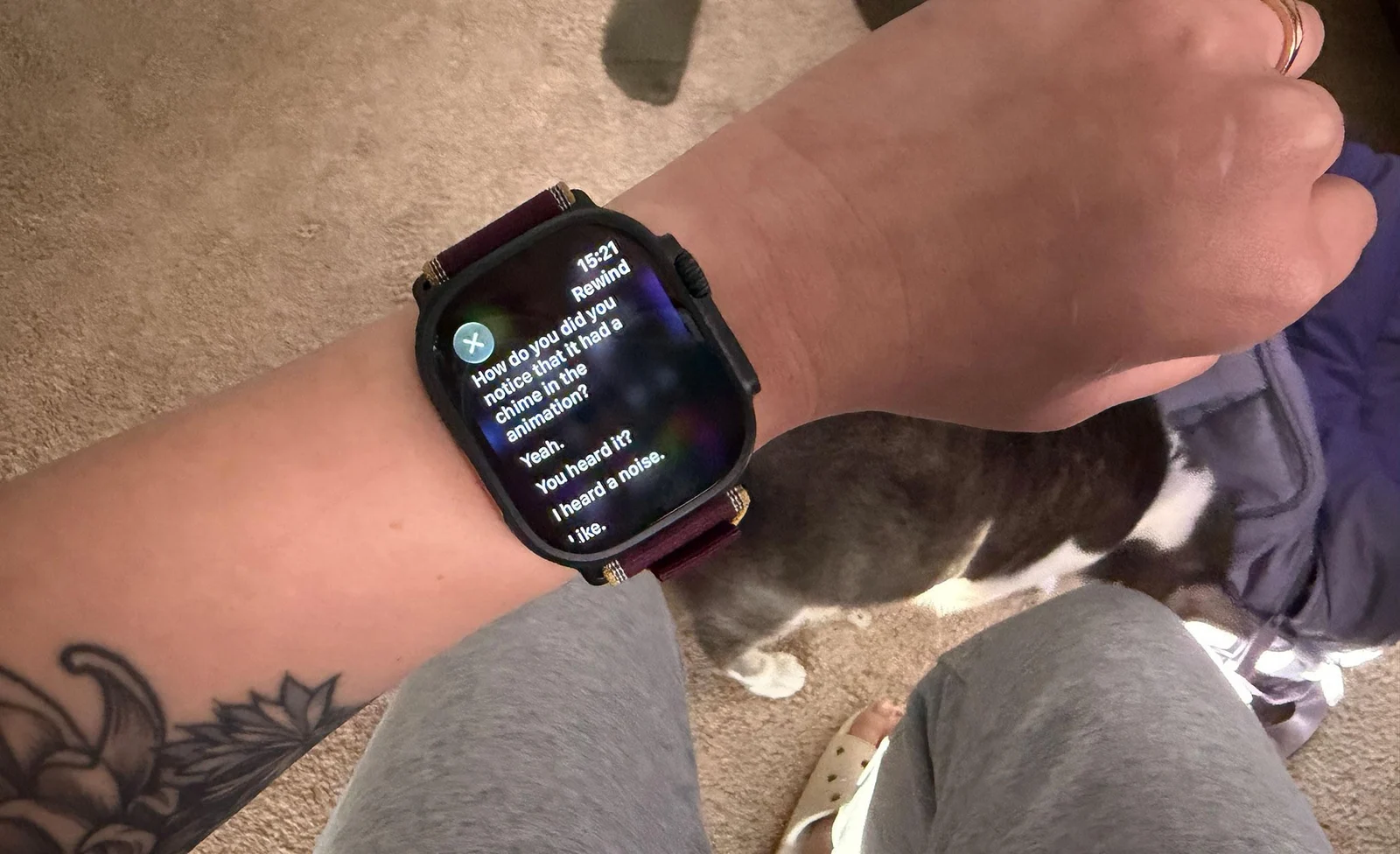
The watchOS 27.3 beta adds Live Rewind and Siri Recap to the Apple Watch Series 12 and Ultra 4.
What’s newly available today is Live Rewind and Siri Recap. The former lets you see a transcript of the last 15 seconds, while the latter provides high-level summaries of your conversations. (The other two Audio Intelligence features have been available for the last few weeks. I wrote about those in my Series 12 review.) And as always, this is the developer beta. These features could still change quite a bit before a final version arrives for the public.
The first thing I noticed is that these features are not turned on by default. I wasn’t expecting anything different, but it’s worth remembering that these features don’t automatically turn every Apple Watch into a surveillance device. Audio Intelligence requires the latest Apple Watch hardware, a compatible version of iOS (so in this case, the iOS 27.3 developer beta), and someone has to actively choose to enable these features. You can download the beta and double-press the crown to initiate a Live Rewind. It won’t do anything. You must opt in via your iPhone’s Watch app. Same goes for Siri Recap. Enabling Live Rewind also requires an initial microphone calibration with your phone.
Privacy-wise, Apple has publicly available support documentation about its approach to these features. I’m not weighing in on how well it executes them in this hands-on. But Apple has pretty clear messaging in the onboarding process. There are quite a few customization options for when Siri Recap is active. You can get pretty granular. For example, you can have Siri Recap only on at the office during weekdays from 1 PM to 4 PM if that’s when you have meetings. This is hard to convey to bystanders, and I think ethical use should come with an in-person heads-up to the people you frequently interact with. (Hello, fellow Verge writers and editors.)
Live Rewind, so far, has worked as described — with the heavy caveat that I’ve only tested it in my quiet home office with my spouse. Even so, it takes a hot second to learn the timing of a double press. My spouse noticed the audible chime signaling the feature is in use, though they didn’t notice the animation. I’ll have to see how this fares in louder environments. Siri accurately captured our attempts to get my cat to roll over, though in subsequent tests, it misheard a word or two.
I’m more hesitant to comment on Siri Recap. It’s not just because I haven’t had an organic, lengthy spoken conversation yet since downloading the beta. (Siri did not deem my brief conversation with my spouse as worthy enough for recapping.) But I won’t really get a feel for how this feature feels until I’ve tested it in a wide variety of scenarios. Will it work if I talk to myself aloud? How well does it filter out gossip? How will this change how people speak to me? That’ll be the true test of this feature and Apple’s bystander privacy claims. I’ll keep testing and will add an update once I’ve finally received my first Siri Recap.
What I will say is that I’ve been testing the Amazon Bee Frontier for the past few weeks. In the little time I’ve spent with the watchOS 27.3 beta, the differences between Audio Intelligence and the Bee are very clear. The latter has more of what I’d call an AI-forward presence. Bee, for example, offers insights about the emotional tone of a conversation. I’ve also found that the AI can be a bit judgy about insights and takeaways. Live Rewind is just a straight transcript. Again, I’m still waiting on my first Siri Recap, but what Apple’s said publicly so far is that these are meant to be highly factual notes to jog a person’s memory. And, as far as I can tell, there is no commerce angle for Siri Recaps, whereas Bee has an Amazon integration that surfaces buying suggestions based on conversations.
In any case, I’ll be diving deep into these features in the days to come. Let us know in the comments what you’re most curious about.
Follow topics and authorsfrom this story to see more like this in your personalized homepage feed and to receive email updates.