Dell XPS 13 review: lightweight, high-end finishing, solid battery
Executive Briefing
Synthesized and verified with gemini-2.0-flash-thinking-exp
“When the device launched with a starting price of 699 USD, it was shaped as a competitor to the MacB”
Key Takeaways
- 1.When the device launched with a starting price of 699 USD, it was shaped as a competitor to the MacBook Neo, but when it returned to Vietnam at this price, it essentially moved into the high-end Ultrabook segment.
- 2.This is a detailed review after more than 2 weeks of using the device.
- 3.## **Easy life** Using the Dell The main reason comes from the 16GB RAM capacity limit and the actual performance of the Intel Core 5 320 chip.
When the device launched with a starting price of 699 USD, it was shaped as a competitor to the MacBook Neo, but when it returned to Vietnam at this price, it essentially moved into the high-end Ultrabook segment. This is a detailed review after more than 2 weeks of using the device.
Easy life
Using the Dell The main reason comes from the 16GB RAM capacity limit and the actual performance of the Intel Core 5 320 chip. These two factors combined create a fairly "airy" usage experience, meaning the machine is not strong enough to handle tasks that require large resources.
Physically, this laptop is extremely light and compact, only the same size as the 12.9-inch iPad Pro. My backpack can hold a 12.9-inch iPad at most, a 13-inch MacBook Air doesn't fit, but this Dell XPS 13 fits in. Heavy work must be transferred to a PC at home and remotely via Dell XPS 13.
The inevitable consequence is that I have to transfer all heavy tasks to my home PC, then remote via Dell XPS 13 to handle. However, when I need to handle heavy tasks directly on the computer, it doesn't really satisfy me.
Design and finishing
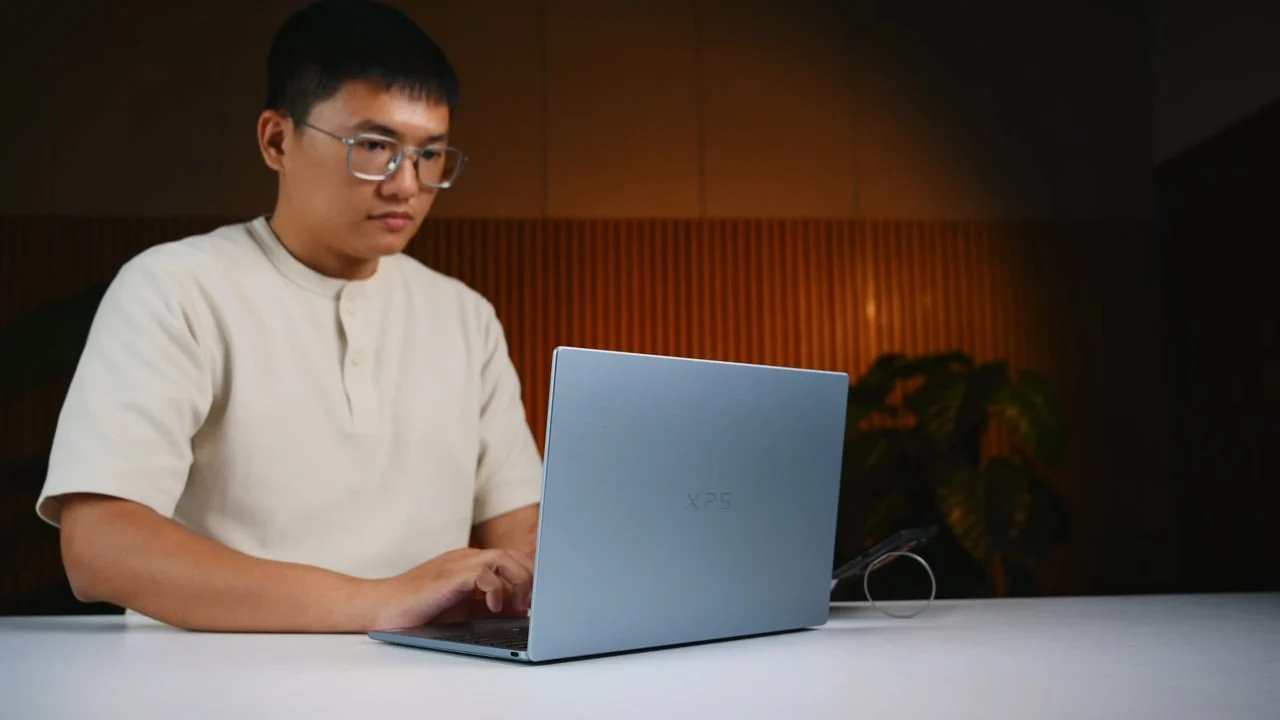
I have had more than 2 weeks with this Dell XPS 13 and can immediately confirm that its level of perfection is extremely high-end. The chassis is very sturdy, when I try pressing on any corner or twisting it slightly, I don't hear any creaking sounds. The Dell XPS line has a long history of development and has always shaped itself as a high-end, thin and light Ultrabook line for businessmen or business owners, and this 2026 version continues to maintain that spirit.
Light and thin are the two words that first come to mind when holding the device. I can hold it in one hand or two hands, walk around the office or move around all day without worrying about the weight affecting the usage experience. This is a suitable choice for those who work remotely, need to check workflow, check mail and work simply.
One thing I really like about the design of the Dell XPS 13 is the built-in webcam cluster that automatically unlocks via Windows Hello when turning on the device. This flow is more convenient than fingerprint, I just need to open the lid to log into the system, it's very fun to use. The hinge opens extremely smoothly, I can easily open the device with one hand.
The Dell XPS 13 is only equipped with two USB-C ports, which means you will not find a USB-A port, HDMI or 3.5mm jack on the device and as a result, you are forced to use an external hub to expand the connection if you need to plug in additional peripherals. In terms of location, these two USB-C ports are arranged on the left and right sides of the device, allowing you to conveniently plug in the charging cord from any direction, without being crowded to one side like some other laptop models often encounter.
However, the USB-C protocol on the Dell XPS 13 is not too advanced, just enough to transfer files.
Keyboard and touchpad
Advertisement
The layout and key spacing on the Dell XPS 13 are arranged at a good level, but the key travel is a bit shallow. When I type for a long time, my hands feel a little tired because my fingertips easily touch the bottom due to the shallow key travel.
Moving to the touchpad, the tracking ability of the Dell XPS 13 is extremely accurate, the area is not too large but the sensitivity and accuracy are very high. Wherever I move the mouse, the cursor on the screen goes there, the latency and response are at an acceptable level, smooth compared to my experience. Thanks to this stability, I almost never use an external mouse when using the Dell XPS 13.
Beautiful screen, no cuts
Dell XPS 13 is equipped with a 13.4-inch IPS LCD panel with 2.5K resolution and 120Hz refresh rate. Dell does not cut down on display quality, resolution or refresh rate. The panel I saw is provided by LG Philips and it covers a very high color range:
- sRGB: 100%.
- DCI-P3: 98%.
- AdobeRGB: 87%.
- Delta E ~1.2.
- Peak brightness ~500 nits.
- Edge light clearance: almost non-existent, very difficult to see with the eye under normal use conditions.
- Brightness deviation: less than 10% for 9 areas on the screen.
A special feature on the Dell XPS 13's screen is the anti-glare coating that the company applies. It's not the same as regular matte. I still feel a certain clarity of the image, not blurry thanks to normal matte panels, although it is certainly not as clear as a mirror screen. For me personally, this anti-glare layer is completely acceptable, although my taste is still a bit more inclined towards mirror screens. Overall, this is a very nice monitor.
Advertisement
Performance stops at basic level
The Intel Core 5 320 on this Dell XPS 13 has a 6-core, 6-thread structure, including 2 high-performance cores (P-core) and 4 power-saving cores (E-core). With this core scale, the chip's multi-core performance is not too high and inferior to more powerful chips.
Practically speaking, this configuration is best suited for basic daily tasks such as browsing the web, checking email, texting, surfing social networks or typing text. When switching to 2D graphics software like Photoshop or Lightroom, the machine can still handle it but only at a basic level. For example, if you edit 3-5 photos or a maximum of 10 photos, everything is fine, but if you cram dozens or hundreds of photos into your project, you will encounter many difficulties.
Tasks related to video and graphic design are similar, if you need higher performance you will have to choose the Core Ultra version. If you need higher performance, you must choose the Core Ultra version.
Extremely strong battery
The battery on the Dell XPS 13 is really very good, I can use it comfortably for a day without almost remembering to bring a charger. 8 to 9 hours of on-screen time is normal in all daily tasks, unless you use the task too heavily.
The improvement in the manufacturing properties of Intel 18A greatly affects the battery life of Intel Core Series 3 chips. Almost no fan noise is heard during normal use, this is a point I am satisfied with. I almost don't hear the fan noise during normal use, the machine operates very smoothly.
Conclusion
In general, this Dell This device is also suitable for people who need thinness, compactness and durable battery life to move around all day, typically salespeople or those who often meet customers, go out for coffee and just need to open contracts or light files to present.
However, if you are someone who requires high performance or often runs heavy multitasking tasks, this is not the laptop model for you. Personally, except for the price and limited performance, I can't find anything else to criticize about this device. This is one of the most beautiful Ultrabooks of 2026 and also one of my favorite Windows laptops.