Review of MacBook Pro M3 Pro 16 inch
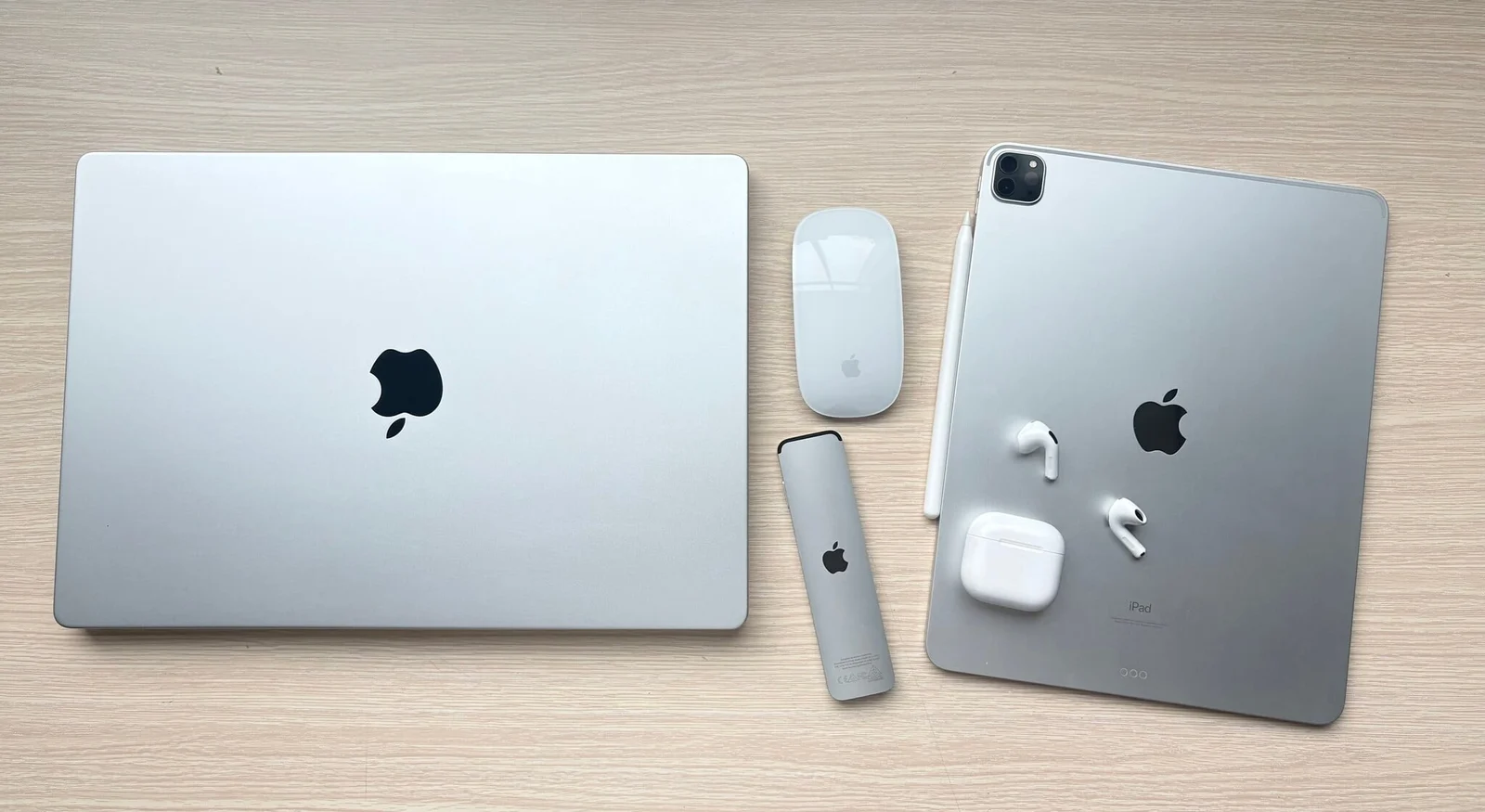
Executive Briefing
Synthesized and verified with gemini-2.0-flash-thinking-exp
“## **Why MacBook and not NoteBook:** In the 2000s, owning a laptop was something quite a luxury.”
Key Takeaways
- 1.## **Why MacBook and not NoteBook:** In the 2000s, owning a laptop was something quite a luxury.
- 2.Laptops were often associated with the image of businessmen, mobile workers and truly wealthy people.
- 3.NoteBook, Laptop was the name of laptops at that time.
Why MacBook and not NoteBook:
In the 2000s, owning a laptop was something quite a luxury. Laptops were often associated with the image of businessmen, mobile workers and truly wealthy people. NoteBook, Laptop was the name of laptops at that time. But MacBook is a very unique name, even though it is a laptop like many other brands. It's special because it doesn't use default Windows, it's special because it's very expensive, and it's special because of its extremely outstanding appearance with a bright apple.
Luckily, my brother studied in the UK, bought a MacBook Pro as a student, it was cheap, after a few years he upgraded the device once and I enjoyed the MacBook Pro. And since then, I have always used Mac OSX and later macOS in my studies as well as in my future work.
Since that device, I knew I belonged to it, even though in the past it couldn't do anything other than listen to good music, watch movies, type on a keyboard, and had a very nice backlight. Because I was still in my second or third year of school, majoring in programming, the MacBook at that time was no different from a music player to watch movies.
What do you use the device for?
What's the point of going to coffee, that's the reality. Later, when the internet became more developed, accessing software sources also became easier. At this time, I officially considered the MacBook as a machine for studying and working more instead of a Windows laptop for the following reasons:
MacBook always creates the mood to do more things on it:
MacBook designs everything perfectly and is slightly better than other computer lines except the very high-end ones. The MacBook Pro has a good speaker system, a beautiful screen, even a CD drive. The MacBook is a disc-swallowing type, instead of other brands that have to be very high-end to have it.
The previous MacBook's keyboard was also very special compared to its competitors, with backlighting and a very good typing key design. Charging cords are also different from others, when at that time most of them were round DC pins, MacBooks had magnets and LED lights.
The machine did not have any chip logos on it, even at that time the MacBook used Intel, NVIDIA, and AMD chips, but of course there were no stamps at all, just an apple shining on the A side of the machine. When the MacBook hits on the most basic human visions such as beautiful eyes, good headphones, cool touch feeling, and prominent brand logo, who wouldn't want to work on a machine like that, right?
In the past, I took my computer to Bui Thi Xuan to install Windows XP and all the necessary software. Day after day, that glowing half-bitten apple brings both an indescribable feeling of class and a feeling of discrimination. MacBook has a high standard score, so the user experience is high and people really like to use it for everything, from studying to working to entertainment. That's it, the mood is there.
MacBook is always equipped with newer technology and is ahead of other competitors:
I remember when I used the 17-inch MacBook Pro 2009 Model, at that time the resolution of 1920x1200 was a bit higher than high-end computers using Full HD 1920x1080. Then in 2013 (actually the Late 2012 model had Retina), the concept of a computer with a high-resolution Retina screen was also equipped on all MacBook Pros at that time, the SSD concept was almost a luxury, and at that time it was also popularized for all MacBooks. Completely removing the DVD drive and LAN port hardware, at that time it was Apple who pioneered this to achieve a more sophisticated and thinner design.
At that time, after the 2013 device, there were no upgrades other than SSD, Apple increasingly integrated and soldered more components. Then, in 2016, the USB-A ports were officially removed, all ports were equipped with Thunderbolt ¾, and the keyboard was tweaked (albeit a disaster) in exchange for everything to make the device even thinner. All the priorities for equipping Apple with the latest technology will be increased as much as possible, even though the cost is not cheap for a MacBook, in return users can enjoy a high-speed and high-performance technology product on the market.
Later, when Apple succeeds in mastering chip manufacturing technology, it will reduce dependence on core hardware suppliers. Apple Silicon is officially available on Mac computers, a major step forward for an era of complete design changes, more powerful machines for media work, longer battery life, more beautiful Liquid XDR Retina screens, better speaker systems, higher security systems. MacBook Pro from 2021 onwards is more practical, HDMI card reader returns, an indispensable tool for Media users.
Advertisement
The rest of the MacBook's specialties are still retained and upgraded to better quality. The only drawback that users who love MacBooks but still want to stay with BootCamp Windows is that Apple Silicon chips and later no longer use real Windows but must go through a virtualized environment.
As for the screen, Apple's devices are almost always slightly different and slightly different, but in general, the resolution is always higher and the brightness is always better. In the past, there was a big difference. Nowadays, a laptop with high resolution and a bright screen is almost a must-have. I list below the Mac models since Apple changed the chip to use entirely Apple Silicon. The statistical reason is that from 2021 onwards, Apple will have a major design change on their Mac lines:
Reasons to buy MacBook Pro 2023 M3 Pro 16 inch 36GB 1TB
MacBook Pro M3 Pro 2023 16 inch, it uses Apple Silicon M3 Pro, somehow in terms of parameters, Apple seems to be quite modest in its configuration compared to the previous generation.
Abbreviated technical specifications:
- M3 Pro Chip: 12 CPUs (6 eCores + 6 pCores) / 18 Cores GPU
- RAM Unified Memory 36GB LPDDR5
- Memory Bandwidth 150GB/s
Compared with the previous generation, it can be seen that Apple made the M3 Pro, it is still difficult (this comparison table is using the most powerful chip):
In this M3 Pro model, Apple balances the eCore and pCore multipliers. It feels like this chip is not too strong, but not too weak, and has more eCore to save power than the previous generation. If you look closely, M1 Pro and M2 Pro have pCore priority.
Advertisement
RAM memory bandwidth is also very important. If M1 Pro and M2 Pro have 200GB/s at the same time, M3 Pro only has 150GB/s even though M3 Pro is a newer chip.
If you look at the table above, why should I choose M3 Pro 12 CPU 18 GPU 150GB/s while M2 Pro 12 CPU 19 GPU 200GB/s??
In return, the M3 Pro is equipped with new weapons that the previous M1 Pro and M2 Pro did not have: Hardware Ray Tracing and AV1 Decode. Giving the M3 Pro a great advantage when gaming and filming, the AV1 format is also the current trend because AV1 is an open source, royalty-free video encoding format, developed by a major technology alliance (Google, Apple, Microsoft, Netflix...). Replaces legacy codecs such as H.264 and H.265 (HEVC) as the standard for high-quality video streaming on the internet. Compression is 30% - 40% better than HEVC/VP9 and twice as much as H.264 but still retains the same quality. Saves bandwidth, helps play 4K/8K videos smoothly even on weak networks. Good support for 10-bit/12-bit color, HDR (HDR10, Dolby Vision) and wide color space (WCG).
The question is, is M3 Pro suitable for me: Simple people, but sometimes need high performance, just occasionally:
Just like the title, I use the Base line, which means the MacBook lines with Base chips are enough and 16GB RAM is fine. I don't specialize in editing movies, don't work professionally, but I still need to make short videos, finish filming, put it in Final Cut Pro for simple cutting and export. At this time, I need speed and the Base line doesn't meet it.
It still has AV1, let me follow the trend for a longer time, the chip configuration is balanced between power and battery saving ability, the amount of RAM is not large, small is not small in the 16GB era it still lacks.
It still has hardware Ray Tracing to help me experience games on Steam and App Store better, I play Resident Evil 2 and 3 games purchased on both platforms.
It still has 1TB of high-performance SSD, moderate capacity, small but not small, big or not big, but satisfying for your needs.
The 16-inch screen gives me a large working space, even gaming and entertainment experiences, beautiful screen, high brightness.
There are still all the national ports, the HDMI I often use to show events, the card reader slot is there so I can quickly get the source for editing, three high-speed 40Gbps USB-C Thunderbolt 4 ports.
What specific work do I use the device for:
Mac Whisper: $79.99 one-time purchase through developer
MacWhisper is a specialized software on macOS used to convert voice from audio/video files into text (Transcription) and create subtitles (Subtitles) automatically. This software was developed by Jordi Bruin, using OpenAI's extremely famous Whisper voice recognition technology.
**Run Offline 100% securely: **Unlike sending files to the cloud, MacWhisper downloads models to your computer and processes them directly with the Mac's chip (taking full advantage of CoreML and Neural Engine on Apple Silicon). Your files are completely private and are not uploaded online.
Extremely good Vietnamese support: Thanks to OpenAI's open source Whisper technology, the ability to recognize and convert Vietnamese (including specialized terms and contextual slang) has very high accuracy, with few spelling errors.
**Automatic translation (Translation):**Pro version has the ability to listen to another language (for example: Chinese, English) and automatically translate and output the results directly in Vietnamese or vice versa.
Export many subtitle formats: Supports exporting to popular formats such as .srt, .vtt (to insert into YouTube, Facebook), or plain text files (.txt, .csv), Markdown files.
**Accurate time synchronization:**The output subtitles are timed accurately for each scene, making it easy to drag straight into editing software.
Mac Whisper has built-in language models that run locally, or you can download them from the program's interface, but not all models are good, what if you want to use a custom model? That is the second software I use with Mac Whisper, which is LM Studio.
LM Studio: Free
LM Studio is a desktop application that allows you to search, download and run open source Large Language Models (LLM) completely offline directly on your device. Simply put, it's like you "bring" a version of ChatGPT or Claude and install it directly on your computer to use without needing an internet connection, without worrying about usage limits and with absolute data security.
**Intuitive, easy-to-use interface: **Other than having to type complex installation commands via Terminal, LM Studio provides a very friendly graphical interface (UI). You just need to click a button to search and download models from the Hugging Face warehouse.
**Runs 100% Offline: **All data processing (inference) takes place locally on your computer hardware. Conversation data is not sent to any server, ensuring absolute privacy.
**Excellent hardware optimization:**LM Studio is deeply optimized for modern hardware architectures. In particular, it takes full advantage of the power of Apple Silicon (M1/M2/M3/M4/M5) through Apple Metal, as well as supports acceleration with NVIDIA (CUDA) and AMD GPUs on Windows/Linux.
**Local Inference Server integration:**This application can create a local server (Local Server) that is fully compatible with OpenAI's API structure. This feature is extremely useful for programmers who want to connect AI to personal software projects or run automation tools without API costs.
**Supports a variety of models: **You can experience a series of today's most popular open source models such as Llama 3 (Meta), Mistral / Mixtral, Phi-3 (Microsoft), Gemma (Google), or Qwen... in optimized compression formats (GGUF).
**The combination of LM Studio and MacWhisper provides an extremely powerful and flexible solution for local language processing on the Mac.**By enabling the Local Inference Server feature, LM Studio creates an internal API gateway that is fully compatible with the OpenAI architecture. Thanks to that, MacWhisper can easily "borrow" this API port to connect directly to large language models (LLM) running offline on the machine.
This collaboration opens up the possibility of exploiting other language models in a much more flexible way than just depending on the default settings. Instead of being limited to basic translation features, users can freely change between leading open source models such as Llama 3, Mistral, or Qwen depending on their work needs. For example, after MacWhisper completes speech-to-text conversion, that text will be sent immediately via LM Studio's API to a specialized model to perform advanced tasks such as: summarizing meeting content, optimizing text in a journalistic style, in-depth translation with high accuracy of local terminology, or even automatically classifying content structure for video SEO.
This entire closed process not only helps maximize the hardware power of Apple Silicon but also ensures that data is processed flexibly, intelligently and with absolute security 100% offline.
Steam: Free, services, paid content:
Steam has affirmed its position as the leading PC game distribution platform thanks to its ability to blur the lines between the two most popular operating systems today, Windows and macOS. No matter what configuration or hardware platform they own, users can still easily access, shop and experience thousands of rich game titles with just a single account.
The biggest plus point that makes the gaming experience on Steam seamless is the Steam Cloud feature. This feature automatically synchronizes all save game data to the cloud.
Obviously, I play the games Metro Exodus, Tom Raider, Resident Evil 2, 3 available on Steam and on Windows and macOS platforms. My MacBook Pro M3 Pro plays these games, when I get home I open my Dell XPS 9510 Core i9 NVIDIA RTX3050Ti, and I still play them. And also tried Streaming games from these two machines back and forth to each other, very smooth, just like Steam's advantage: Not stopping there, Steam also optimizes the user's hardware ecosystem through Steam Remote Play technology. This feature allows you to flexibly stream games between devices on the same local network. You can fully take advantage of the huge graphics processing power of your Windows PC to stream games to your Mac smoothly, helping your Mac play blockbuster games that do not support macOS. On the contrary, streaming from Mac to Windows is similarly smooth, making entertainment gaming more mobile, flexible and convenient than ever.
I made a video briefly describing how I play Skyrim, which is a Windows game, and I experience it on my MacBook Pro M3 Pro. You just need to Login to Steam with the same account on two devices, and you can Stream. The game Skyrim has good and vivid sound, the MacBook Pro speakers bring a very different experience
Many people still think that Mac cannot play games, unlike Windows, I think this is partly true and partly wrong. I experience the game completely with this MacBook Pro M3 Pro, MSI's Gaming discrete monitor output is
MSI MAG 273QP QD-OLED X24 27 inch WQHD 240Hz HDR
On the Steam platform and the App Store, some great games are now also available on Mac. It's true that Mac games aren't as good as Windows games because of compatibility and popularity issues. I think this is the story of the present, the future will be different.
I am playing the Resident Evil 3 game downloaded and purchased on the App Store, playing with the Apple Magic Keyboard and Magic Mouse.
OTT Apps: Free
Apps like Zalo, Viber, Signal, Telegram, WhatsApp, browser chat with FaceBook Messenger... are Apps that we almost have to live with and are attached to, from work to family, friends and groups. The problem of storing files, chatting, and working on it makes my computer relatively strong. Large screen, good keyboard experience, I installed them all on my device for easy management and keeping in touch
Office: Free / Paid:
I mainly use Apple Keynote and Page because I often work with family A and partners, they have common standards for working thanks to the Collaborate feature between iCloud accounts, helping to maintain the most seamless and fastest work. What people talk about is the Microsoft Office suite, of course everyone must have and use it, I use Microsoft 365, the shelf is also convenient, connecting many devices, viewing files anytime, anywhere, today's synchronization feature is called a mandatory trend, helping you work across devices and anytime, anywhere.
iMovies: Free
The greatest strength of Apple devices lies in the Microphone processed by the Neural Engine, which helps it filter noise and push the voice very well. Usually I process on iMovies for basic cutting and editing. The problem is that the Final Cut Pro package is too expensive. I use Final Cut Pro on iPad Pro for only 128,000 VND / month to help me cut more deeply. Because I'm not a professional content creator, I simply shot quickly with my iPhone, pre-processed color and sound using the tools available on iMovies, then transferred it to my iPad Pro for further processing on Final Cut Pro. As for Final Cut Pro on iPad Pro, I believe in Vietnam you can count on the fingers of one hand how many times it takes to make a video from A-Z to talk about the capabilities of an iPad Pro.
- 00:00 Introduction
- 01:00 Create a script with Pages
- 01:21 Prepare visuals with Keynote + search for resources with Safari
- 05:35 Cut and edit videos with Final Cut Pro for iPad
- 11:35 Export File and upload to Youtube
Goodnotes 6: App purchased for 899,000 VND on iPad, can be used on macOS
Because of my frequent need to take notes on my iPad Pro, I need to link these to my MacBook, because I work a lot with documents, especially PDF files. I just drag and drop them into Goodnotes, then continue doing that work on my iPad Pro.
Some pictures of actual daily work:
I always use Windows and macOS in parallel. In fact, although there are many macOS Apps now, they cannot be equal to Windows in some specific applications:
- Work with Excel with add-in support, VBA,...
- There is still a lot of specialized software only available on Windows (related to accounting and government)
Because MacBooks from Apple Silicon chips onwards can no longer use Bootcamp to have real Windows, then
Parallels Desktop is a lifesaver when you need to run Windows on macOS but in a virtualized environment. The following issues should be noted:
- Virtualized Windows on MacBook Apple Silicon is Windows for ARM version, which means that some x86 software like normal Windows you often use will not run (some types of digital signatures, printers,...)
- Many of you install virtual Windows to play Windows games on the Parallels Desktop environment, which is a big limitation, because of the ARM platform, DirectX library,... and virtualization, the hardware is only enough for you to watch and play, don't expect too much from virtual Windows.
In the photo, the 16inch MacBook Pro M3 Pro outputs a 2K resolution mobile screen
Inside the article's 16inch MacBook Pro M3 Pro:
The ability to work seamlessly and experience seamlessly between multiple Apple devices with Apple ID is a specialty that only Apple has:
- MacBook Pro Stream extends screen to AppleTV with Sony 65-inch 4K screen
- Universal Control function helps expand the working area or connect other MacBooks to control with just a single Keyboard and Trackpad
Conclude:
For me, working on a laptop like a MacBook Pro means a lot. I use both Windows and macOS operating systems in parallel, but macOS always plays a key role in all my work because of the above advantages. I also don't need a MacBook as powerful as the Max series because my needs are just that. MacBook configurations always have a huge difference between chip generations, but the good thing is that they always have very specific standards for users from holding experience to usage experience. MacBook Pro M3 Pro 12 CPU / 18 GPU / 36GB / 1TB, strong not strong, weak not weak but has all the latest hardware at the moment (Ray Tracing, AI, AV1, ProRes) and it is my true love in everything.
Thank you for watching./.
#reviewmacbook