Use AI to 'modify' the smart TV interface
Executive Briefing
Synthesized and verified with gemini-2.0-flash-thinking-exp
“# Use AI to 'modify' the smart TV interface Not satisfied with the default interface, some people t”
Key Takeaways
- 1.# Use AI to 'modify' the smart TV interface Not satisfied with the default interface, some people try to use AI to change the smart TV interface according to personal needs.
- 2.Frequently using TV, Hoang Tuan (HCMC) sometimes feels uncomfortable because ads and pre-installed applications take up all the main screen area.
- 3.Accidentally reading a tutorial online, he tried using Claude AI to "modify" the TV interface at home.
Not satisfied with the default interface, some people try to use AI to change the smart TV interface according to personal needs.
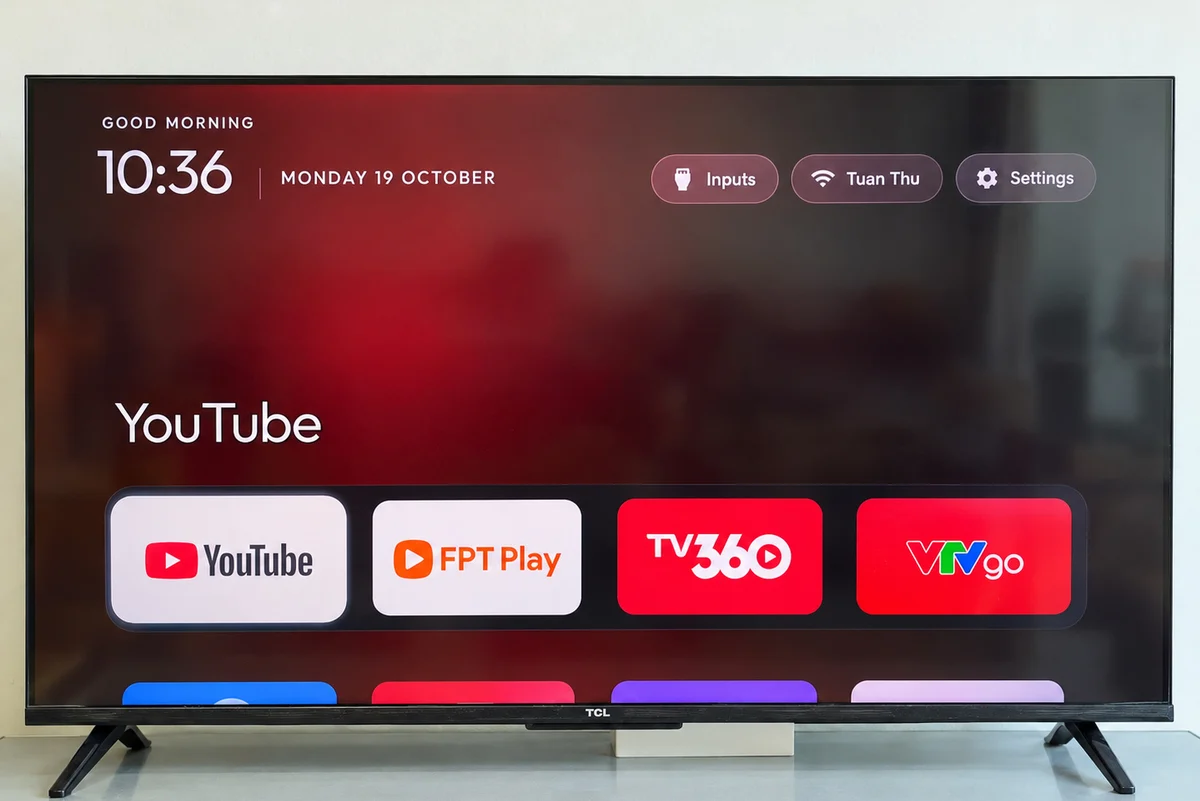
Frequently using TV, Hoang Tuan (HCMC) sometimes feels uncomfortable because ads and pre-installed applications take up all the main screen area. Accidentally reading a tutorial online, he tried using Claude AI to "modify" the TV interface at home.
After changing, he said the speed of opening TV and applications is faster. The main screen is also neat and easy to see, and applications are arranged according to user needs. Satisfied with the results, Tuan posted to a group specializing in AI and received many responses from people who like to "dabble" with technology.
Tuan said it "took him more than 30 minutes" to complete changing the TV interface. Non-programming experts can do it themselves, but need to know how to install some AI tools on the computer.
To do this, users need a computer connected to the same wifi network as the TV, and a paid AI account that supports Claude Code. After authorizing the software, they only need to communicate with AI in common language or "cut and paste according to available templates", the rest is done by the tool.
When connecting the TV to the computer, AI will identify advertising or pre-installed applications that the user does not need, then suggest changes for the user to review and confirm.
In addition to cleaning up unnecessary applications, users can ask AI to replace the home screen and arrange frequently used applications as desired. The tool also supports adjusting or restoring the original interface. However, users should monitor the process, keep backups and turn off connection permission mode after completion.
According to Hoang Tuan, this method can be applied to some smart TV models running Android TV or Google TV from TCL, Sony, Xiaomi, Philips, Hisense and Android TV Boxes. However, Samsung TVs running Tizen and LG TVs running webOS are not supported.
Not only in Vietnam, the trend of using AI to "modify" smart TVs has appeared around the world. According to TechCrunch, many developers are sharing instructions and tools to help users customize the smart TV interface. For example, the developer of the cleanyourtv project said that several thousand people followed his instructions in the two days after posting.
However, according to this technology site, "modifying" TVs also has risks. AI may mistakenly disable necessary applications, causing some TV functions to stop working. Some people's TVs may also have errors and not work properly.
In addition to the risk of software errors, users also need to pay attention to security issues when granting connection permission to AI. According to expert Ye Jin of Kaspersky's GReAT global research and analysis team, smart TVs can become targets of hackers due to frequent Internet connections. Therefore, users need to be careful when granting access to external tools, because it can create opportunities for bad guys to infiltrate, steal data or control the device.
Zhong Dat
- Proliferate 'humanizing' tools for AI content
- Chinese AI can 'pretend to be good' to bypass evaluation
- Vietnamese startup calls for $3 million in capital for AI to support scientists