What to do when your iPhone or iPad is lost or stolen?
Executive Briefing
Synthesized and verified with gemini-2.0-flash-thinking-exp
“**When an iPhone or iPad is stolen, users need to enable lost mode and track the device's location t”
Key Takeaways
- 1.**When an iPhone or iPad is stolen, users need to enable lost mode and track the device's location to protect personal information.** In today's technological age, phones and tablets have become important repositories for many personal information, including photos, documents, bank accounts and login data.
- 2.Therefore, a stolen iPhone or iPad not only causes property damage but also has the potential to expose personal information.
- 3.According to guidance from Apple, users need to prioritize protecting their devices and accounts before trying to get their assets back.
When an iPhone or iPad is stolen, users need to enable lost mode and track the device's location to protect personal information.
In today's technological age, phones and tablets have become important repositories for many personal information, including photos, documents, bank accounts and login data. Therefore, a stolen iPhone or iPad not only causes property damage but also has the potential to expose personal information.
According to guidance from Apple, users need to prioritize protecting their devices and accounts before trying to get their assets back. Some security operations can be performed remotely, even when the user no longer has access to the trusted device.
Activate lost mode to lock iPhone, iPad remotely
When you discover your iPhone or iPad is stolen, the first thing to do is activate "Lost Mode" as soon as possible. This feature will lock the device with the set passcode, prevent others from accessing the data, and limit the ability to change Apple account information.
To activate this mode, users just need to visit the iCloud.com/find website, log in to their Apple account, select "All Devices" and search for the lost iPhone or iPad.
Then, select “Mark as Lost” and follow the on-screen instructions. In particular, Apple does not require a verification code when logging into this website, allowing owners to easily activate lost mode even if the device has been stolen.
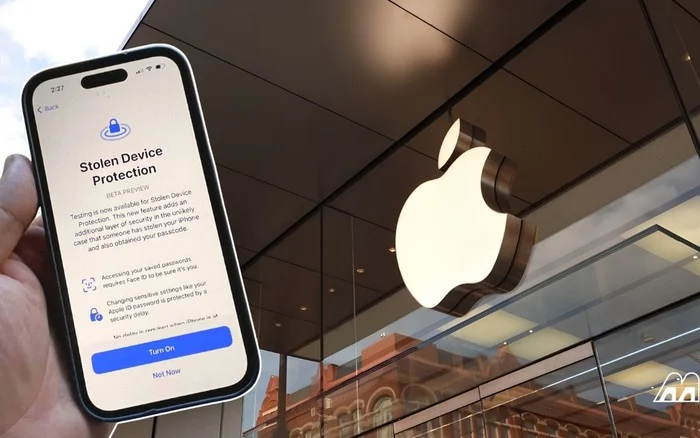
For iPhones that have the “Stolen Device Protection” feature enabled, turning off lost mode will require authentication using Face ID or Touch ID. This means that even if thieves know the unlock password, they still cannot easily disable this layer of protection.
Apple also recommends that users not provide phone numbers or contact information in the notification displayed on the screen if the device is determined to be stolen. This information can be used to commit fraud or identity fraud.
Another important note is that you should not remove the device from the "Find My" list. This will remove the “Activation Lock”, making it easier for thieves to erase data and resell the device. Even with “Stolen Device Protection” enabled, users should still enable “Lost” mode as the feature's additional protections are only effective during certain periods of time.
Locate the device and report to the authorities
After locking the device, users can track the location of their iPhone or iPad via a map on the iCloud.com/find website. When selecting a device in the list, the system will display the location if it has location data.
However, Apple recommends that users should not arbitrarily recover property if the device appears in an unfamiliar location or shows signs of being stolen. In this case, users should contact the local police agency for assistance, to avoid the risk of conflict or loss of safety.
When reporting, authorities may request the serial number of the iPhone or iPad. This information can still be found even if the user no longer has the device.
In addition, the owner needs to notify the carrier about the stolen phone and request to suspend service for the relevant subscriber. This measure helps limit the risk of crooks continuing to use the mobile service associated with the victim's phone number.
If the device is part of an insurance plan or service plan that offers protection against theft, users should contact the supplier to learn about the claim procedure.
Apple also notes a special situation: if the Stolen Device Protection feature is active and someone tries to change the Apple account password in an unfamiliar location, the iPhone may not appear on the iCloud.com/find map. However, the owner can still mark the device as lost to lock it.
Finally, users need to be wary of messages informing them that their iPhone has been found, calls pretending to be support, or links requiring account login. Apple confirms that it will not proactively contact you to notify you that a lost iPhone or iPad has been found.
Remote data wipe and Apple account security check
In cases where search measures have been applied but the device still cannot be recovered, users should consider remote data deletion to protect personal information. This can be done through the Find My app on another Apple device or at iCloud.com/find.
However, Apple warns that deleting data cannot be undone, so users should only do so after carefully considering options for recovering the device.
For iPhones running iOS 15 or later or iPads using iPadOS 15 or later, users can still locate the device using Find My even after remotely wiping the data. It's important not to remove the device from Find My, even if the data has been completely erased. Keeping Activation Lock will help limit the ability of thieves to activate and resell the product.
Besides protecting the device, users need to check their Apple account on another trusted device, such as an iPad or Mac that is signed in to the same account. In the Settings or System Settings section, users should select the account name to see the list of linked devices.
Apple says users can remove a stolen device from their account list without removing the device from Find My. At the same time, it is necessary to check and remove devices that are strange or not added by the account owner.
Next, users should access the Sign-In & Security section to review the email address, associated phone number, and account recovery methods. If you detect any unusual changes or information not set by you, users need to update and change their Apple account password.
For iPhones covered by the AppleCare+ with Theft and Loss program, owners can submit a request to replace the device according to the program's terms.
Under no circumstances should users share unlock codes, account passwords, or verification codes with anyone, including people claiming to be Apple support staff. This is an important principle to avoid continued damage after the device is stolen.